Ages 2 to 5
The 25 games
Drums and music, painting, animals, letters, numbers and a cartoon to play along with. Three are free to try.
In every pack.
25 gentle games, plus Numbers Path for early counting and Living Canvas, where your child's drawings wake up. Make a player that looks like your child, and everything uses their name, their look and their favourite colour.
One payment. No subscription, no ads, nothing collected. Plays offline. Packs from US$6.99.
Everything opens from the same app with the same player, so your child is the star everywhere. One licence key unlocks what your pack includes.
Drums and music, painting, animals, letters, numbers and a cartoon to play along with. Three are free to try.
In every pack.
This is Kai's world. Put your own child in it: build them in 3D, hear their name, and see them walk round. Then set up the tablet, or send it all as a gift.
Three are free to try. Every game has voice guidance and gentle hints, and there is no way to lose.
Built the way 2 to 5-year-olds play: big targets, short goals and a lot of praise.
Name, skin colour, hair, clothes and favourite colour. The cartoon even spells your child's name.
Every game explains itself out loud and offers a hint when your child pauses. You can tell it how to say an unusual name.
Wrong taps get a friendly answer, never a buzzer. Stars and cheering reward trying.
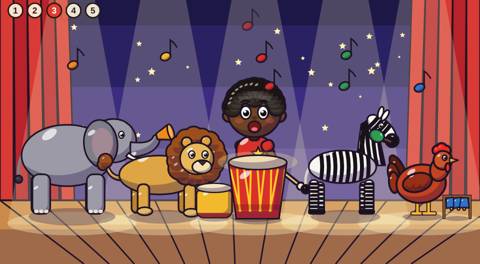
Drums, marimba, mbira and an animal band. Children record a loop and add instruments on top.
Colours, animals, letters A to Z and counting to ten, named aloud as they play.
Settings, purchases and players sit behind a press-and-hold button that little fingers don't trigger.
A grown-up pays once at checkout. The licence key arrives by email and the app unlocks straight away.
Set up each child once: name, look and favourite colour. Add brothers, sisters and cousins on the same device.
Add it to the home screen. After the first visit it plays without internet, on the bus or at Grandma's.
No subscription and no in-app purchases, so your child can never buy anything by accident. Prices show in your currency at checkout, with any tax included. In Zimbabwe? The card checkout can't take Zimbabwean addresses yet, so write to hello@kaisgames.com to pay by EcoCash or bank transfer.
Every pack: every child you set up, free fixes and improvements, plays offline, 14-day refund with no questions asked. Started small? Upgrade inside the app and pay only the difference. Payment is handled by Dodo Payments, our reseller and merchant of record.
We built the games so there is nothing to collect.
Your child's name, look and favourite colour are saved only in the browser on your device. They are never sent to us or anyone else. There are no accounts, no tracking and no ads.
When a grown-up buys, Dodo Payments handles the payment and emails the licence key. They see the buyer's email and payment details, never anything about the child.
Talking uses the voice built into your phone, tablet or computer, so speech never leaves the device either. In Living Canvas, a photo of a drawing is turned into a character on the device and is never uploaded.
Any recent phone, tablet or computer with Chrome, Safari, Edge or Firefox. It is a web app: open it, then choose "Add to Home Screen" to give it its own icon. Nothing to install from an app store.
Only the first time, to load the games and unlock them. After that it plays offline.
As many as you like. Each child gets their own player on every device, and the app asks who's playing when it opens.
Starter, US$6.99: the 3 free games plus 5 classics you choose, plus Living Canvas, on 1 device, for a small set of favourites at home. Family, US$14.99: all 25 games, plus Numbers Path and Living Canvas, on up to 2 devices, for one home: a phone and a tablet. Classroom, US$120: all 25 games, plus Numbers Path and Living Canvas, on up to 20 devices, for preschools, creches and classrooms.
Two more apps inside Kai's Games. Numbers Path takes children aged about 4 to 6 through counting and early maths, step by step. Living Canvas turns a child's drawing into a character that dances and plays.
For the launch, the new apps come free with the packs: Starter gets Living Canvas, and Family and Classroom get Numbers Path and Living Canvas. They stay with your key: a key bought now keeps them, even if they are later sold separately or the packs change.
Yes. Press and hold Grown-ups in the app, tap Upgrade, and pay only the difference. The upgrade key works together with the key you already have. On your other device, enter the upgrade key and then your earlier key: it is only checked there, not used up.
The Family pack covers 2 devices in one home. Enter the same licence key on each. For a grandparent's own phone, buy them a pack (it makes a good gift), or move the key: remove it from one device in the Grown-ups menu, then enter it on the other.
Yes, with the Classroom pack. It is licensed for one preschool, creche or class and covers up to 20 devices. Starter and Family are for home use. How it works in a preschool.
The games were made for a three-year-old and suit children from about 2 to 5. Living Canvas suits 2 to 4, and Numbers Path about 4 to 6. Younger children enjoy them best on a grown-up's lap.
English for now. The voice follows your device, so accents vary.
When you set up the player there is a box for how the name sounds. Spell it the way it is said (for example "Tan-dee" for Thandi) and press "Hear it" to check.
Write to us within 14 days of buying and we will refund you in full.
Kai's Games began as a few games a grandfather in Bulawayo, Zimbabwe, had made for his three-year-old grandson, who loved the red drum, finger painting and naming every animal he could see. The games grew to 25, then came Numbers Path for early maths and Living Canvas for drawing, and now any child can be the star of them.